
Enterprise Architecture in Mergers & Acquisitions: Fixing System Overlaps
After a merger, system overlap can quietly erode the value you were promised on paper. If you are leading Enterprise Architecture (EA) or closely involved in Post‑Merger Integration (PMI), your ability to map, analyze, and redesign the joint IT landscape is what turns two separate organizations into one effective business.
In this article, we walk you through how EA helps you spot and fix overlaps in business systems, so your merger delivers measurable value instead of technical chaos.
System overlap and its dangers
System overlap is one of the most common and expensive challenges in PMI. You suddenly have two CRMs, two ERPs, three reporting tools, and a tangle of point‑to‑point integrations. If you do not deal with that overlap deliberately, costs stay high, data stays fragmented, and teams stay confused about which system to trust.
Your ability to realize merger benefits depends heavily on EA‑driven integration. When you use EA methods and tools to understand what you have, what you need to keep, and what needs to go, you can make decisions based on facts rather than gut feel.
The importance of system mapping
The first step in tackling overlap is simple to describe and hard to skip: you need a complete, structured map of your systems and integrations. That means identifying all key applications, databases, interfaces, and the business capabilities they support.
Good system mapping gives you two main benefits:
- It supports PMI planning and execution by showing you exactly which systems the combined business depends on, and where there is redundancy or risk.
- It provides a shared, visual inventory that non‑technical stakeholders can understand, making it much easier to have honest conversations about consolidation and decommissioning.
You can do this with lightweight architecture views, application catalogs, and integration diagrams that live in a central Enterprise Architecture repository rather than scattered slides and spreadsheets.
Spotting overlap and redundancies
Once you have a system map, you can start analyzing where the real overlap sits. The most effective way to do this is to link systems to business capabilities and processes, not just list them by technology.
For example, you might discover that both organizations have:
- Separate CRM platforms supporting the same “manage customer relationships” capability.
- Multiple analytics tools serving similar reporting needs for finance or sales.
- Different HR systems supporting “hire and onboard employees.”
By tying each application to capabilities and processes, you can identify genuine duplicates and distinguish between systems that serve different, legitimate purposes. This is also where your PMI approach matters:
- In a full absorption strategy, you typically select a single target system per key capability and plan migrations away from the others.
- In a selective or phased integration strategy, you may keep more than one system running for a while. Still, you do so deliberately, with a clear timeline and criteria for convergence.
EA helps you avoid the trap of “we’ll keep everything for now and decide later,” which often leads to long‑term complexity and wasted spend.
The integrations perspective
Applications rarely live in isolation. The real complexity often sits in how they talk to each other – or fail to. That is why you need to catalog integration flows just as carefully as applications.
From an Enterprise Architecture perspective, you want to know:
- Which systems exchange data and through what mechanisms (APIs, ETL jobs, message queues, flat‑file transfers, etc.).
- What the key dependencies are, especially where one system is a source of record for others.
- Where the fragile integration points and bottlenecks sit – the undocumented scripts, one‑off connectors, or single‑server middleware that break easily.
This view lets you spot common PMI failure modes early: mismatched data structures, incompatible protocols, or critical integrations that were never properly documented. When you model these integrations in your EA repository, you can simulate the impact of switching off or replacing a system and see which downstream processes would be affected.
Security architecture belongs in this view as well. As you combine networks and data flows, you need to understand where sensitive data travels, how it is protected in transit and at rest, and where access controls and monitoring need to change. Treating security as part of architecture – rather than a separate afterthought – is key to a safe integration.
How security architecture enables safe integration
During PMI, you are often connecting systems that were never designed to live together. That creates new attack surfaces, new trust relationships, and new compliance obligations. Security architecture helps you manage these risks without slowing the business to a halt.
In practice, this means:
- Classifying systems and data, so you know which integrations involve sensitive or regulated information.
- Defining standard patterns for secure connectivity, identity and access management, and logging across the merged environment.
- Using Enterprise Architecture models to verify that proposed integration designs follow those patterns instead of introducing ad‑hoc shortcuts.
By doing this, you reduce the chance that a quick integration fix today turns into a serious security incident tomorrow.
The role of Solution Design
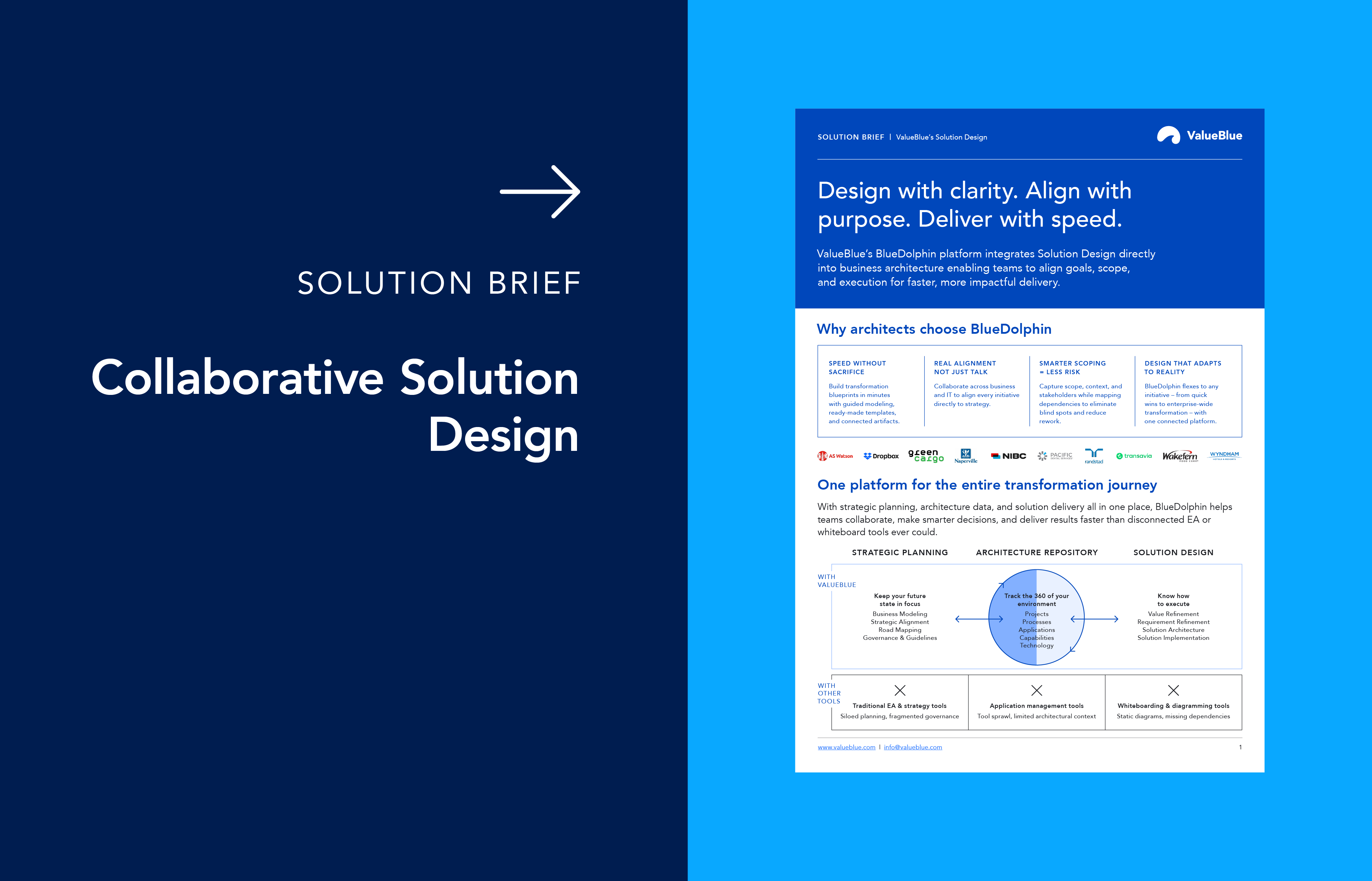
System mapping and capability analysis tell you where you are. Solution Design helps you decide where you are going and how you will get there.
Solution Design is the structured process of defining how the target landscape should look for a particular capability or program, including which systems to keep, how they integrate, what data flows where, and how users will experience the change. It connects strategy to execution by turning your high‑level PMI goals into concrete architectures and implementation plans.
In a merger context, Solution Design helps you:
- Compare alternative integration options – for example, “keep CRM A,” “keep CRM B,” or “introduce a new shared CRM” – and understand impacts on data, processes, integrations, and cost.
- Design transitional architectures that recognize you cannot migrate everything overnight but still move you toward a clear target state.
- Document decisions so that project teams, security, operations, and business stakeholders all work from the same playbook.
Platforms that bring Solution Design into the same environment as your Enterprise Architecture repository, such as BlueDolphin, are especially valuable, so you are always working with up‑to‑date information instead of static diagrams. That centralization matters when many teams are working on different parts of the integration at once.
Addressing data mismatches and hidden costs
Overlapping systems almost always mean overlapping – and often inconsistent – data. After a merger, you may find multiple customer records for the same person, different product catalogs with similar identifiers, or financial data structured in incompatible ways.
From an Enterprise Architecture standpoint, you want to:
- Identify where key data domains (e.g., customer, product, employee, or contract) are mastered, and how they are replicated across systems.
- Surface inconsistencies in definitions, formats, and quality that will cause errors in reporting or operations if left unresolved.
- Work with data and business teams to define target data ownership and integration patterns.
On top of this, you need to be honest about hidden costs. Redundant systems mean duplicated licenses and support contracts. Point‑to‑point integrations mean maintenance overhead. Legacy middleware or on‑prem hosts mean infrastructure costs that may not be obvious in early deal models. When you model these elements as part of EA, you can show where consolidation or modernization will actually save money, rather than just shifting costs around.
Continuous data quality checks and regular reviews of your system portfolio help you keep hidden costs under control, rather than rediscovering them in each new project.
Ensuring long‑term stability
Even after you have rationalized major overlaps and stabilized critical integrations, your work is not finished. The combined organization will continue to evolve. New initiatives will appear. If you do not maintain a forward‑looking architecture view, the landscape can easily drift back into complexity.
This is where Enterprise Architecture‑driven roadmapping comes in. A good roadmap links:
- Business capabilities and strategic objectives.
- Planned changes to applications, integrations, and infrastructure.
- Clear timeframes and dependencies, so you can sequence work realistically.
With a living roadmap, you can keep simplifying, modernizing, and aligning your systems, rather than letting overlap slowly creep back in.
The 4 key phases of a post‑merger integration process
All of this architectural work fits naturally into a four‑phase PMI approach:
1. Due diligence
Inventory and analyze systems, integrations, and data domains across both organizations. Identify obvious overlaps, risks, and constraints, so they inform deal decisions and early plans.
2. Planning
Define integration scope, timelines, and priorities. Use capability maps, system diagrams, and Solution Design to decide which systems will be strategic in the target state and which will be retired.
3. Implementation
Execute consolidation, integration, and harmonization in waves. Use Enterprise Architecture models to guide project teams, validate changes against your target architectures, and reduce the risk of breaking downstream processes.
4. Optimization
Once the main integrations are complete, review the outcomes, refine the designs, and look for further simplification. Use your EA repository and roadmaps to retire remaining legacy components and improve performance over time.
By framing Enterprise Architecture work inside these phases, you keep the architecture grounded in business milestones rather than treating it as an isolated activity.
Conclusion
PMI success depends on your ability to see the full system landscape clearly, decide where overlap is acceptable and where it is not, and then design a path to an integrated, sustainable target state. Enterprise Architecture gives you the tools and methods to do exactly that: map applications and integrations, link them to capabilities and processes, design secure and realistic solutions, and guide the organization through a phased integration journey.
If you use EA to systematically map, fix, and optimize your business systems after a merger, you are not just cleaning up technical debt – you are protecting the business case of the deal and creating a platform for long‑term growth.
Ready to get started? Book a customized demo and discover how ValueBlue's BlueDolphin can help you with a successful PMI.